Best AI Process Documentation Tools (2026): Scribe, Tango, Whale Compared
Jul 18, 2026
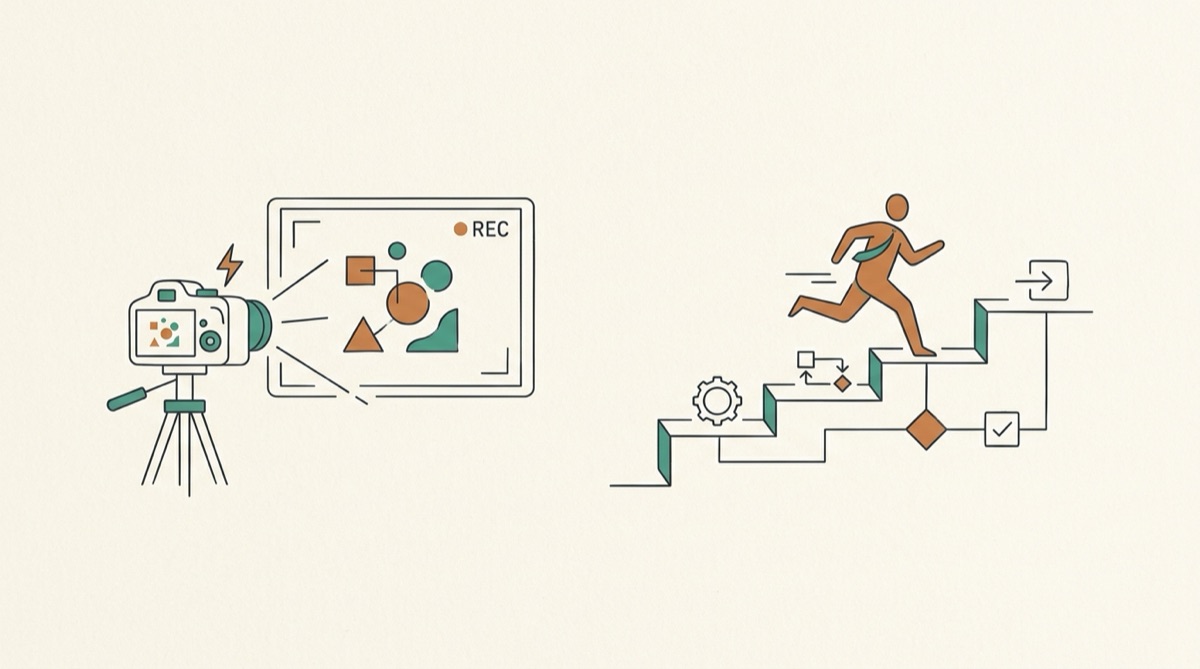
Most "best AI process documentation tools" roundups quietly answer one question: which app captures a workflow fastest so a human can read it later. That's a real job, and the screen-capture SOP tools do it well. But there's a second job hiding inside "process documentation" — the process docs your AI agents have to execute consistently, every time they run. Those are two different tool categories. Buying the first when you need the second is the most common mistake teams make.
This piece splits the market honestly: tools that produce SOPs read by people, and tools that hold playbooks run by agents.
Two jobs hiding inside "process documentation"
A screen-capture SOP is for onboarding a person. Someone records themselves doing a task, the tool turns the clicks into a numbered how-to with screenshots, and a new hire reads it once to learn the steps. The reader is human. They fill in judgment, context, and the unwritten "why" on their own.
A process doc that an agent runs is a different artifact. The agent doesn't read it once and internalize it — it starts from zero every session. It needs the steps and everything a human would have supplied from memory: what the task actually means for your business, which customer this is, what got corrected last time, which decisions still stand. A prompt document tells you how; it doesn't tell the agent what the task actually means. You need both, and almost nobody has the second part systematized.
That's the whole split. Same phrase, "process documentation," pointing at two tools that share almost no requirements.
The screen-capture SOP tools (read by humans)
These are the tools filling page one, and they're genuinely good at what they do. As of mid-2026, the shortlist most roundups converge on:
- Scribe — captures your screen and turns a recorded workflow into a step-by-step guide with annotated screenshots. Strong for "here's exactly how to do this task" documentation a teammate follows.
- Tango — a similar capture-to-guide model, positioned around process documentation and in-app walkthroughs. Good for onboarding and repeatable click-paths.
- Whale — leans toward SOPs and process libraries for teams, with organization and training features around the docs themselves.
- QuillBot and similar generators — text-first: describe a process and get a formatted procedure document out. Fast for turning rough notes into a clean SOP.
If your problem is "our procedures live in three people's heads and new hires keep asking the same questions," any of these solves it. Pick on capture experience, how the library is organized, and whether it fits how your team already trains people. This is a mature, well-served category.
Where they stop is the same place for all of them: the output is written for a human reader. It documents the how. It doesn't carry the business context an agent needs to run the task without a person in the loop.
When a process doc is something an agent runs
Some of your processes aren't handed to a new hire anymore. They're handed to an agent — the campaign-brief drafter, the customer-reply writer, the competitor-analysis run. For those, a screenshot SOP is the wrong container. The agent needs a playbook: the steps plus the brand voice, the personas, the current facts, the decisions that still stand, and the gotchas that would otherwise live in someone's head.
We like the word playbook and use it deliberately. "Process documentation" is the phrasing people search for; a playbook is what the thing actually is once an agent has to execute it. The difference isn't cosmetic — it's what you have to store. A playbook combines the how (the procedure) with the what (the context that makes the output correct for your company), so any teammate running any agent on any task gets output that sounds like your team produced it.
There's a governance version of this that most teams miss. When someone leaves, you write an offboarding doc — accounts, handoffs, where the bodies are buried. Their AI playbooks belong on that doc: the prompts, the examples, the context, the gotchas, and who they handed it to. Right now that knowledge walks out the door, because the screenshot SOP captured the clicks but never the judgment — and never the record of who approved what, and why. The person who figured out how to get brand-perfect output from an agent leaves, and the team is back to square one.
And a playbook an agent runs is never "done." A screen-capture SOP is a snapshot. A playbook that stays correct has to be actively managed — decisions marked as superseded when you reverse them, corrections saved back after an agent gets something wrong, stale steps archived. Miss that and the docs quietly rot: one agent run picks up the decision you made last month, another picks up the one you reversed last week, and the output stops being consistent. Retrieval alone doesn't fix this. Curation does.
How the categories compare
| Screen-capture SOP tools (Scribe, Tango, Whale, QuillBot) | Agent-native playbooks (Patina) | |
|---|---|---|
| Primary reader | A human learning a task | An agent executing a task |
| What it captures | The steps: clicks, screenshots, procedure | The steps plus brand voice, personas, facts, decisions |
| Stays current via | Manual re-recording when steps change | Human-curated review workflow; corrections and superseded decisions written back |
| Delivery | A doc you open and read | Served over web, API, and MCP so any agent reads the same source |
| Best when | Onboarding people, training, click-path SOPs | Agents must produce consistent, in-voice, on-fact output |
Neither column is "better." They answer different questions. If you're documenting for people, the left column is your shortlist. If you're documenting for agents, the SOP tools will feel like they're missing half the job — because for that job, they are.
Where Patina fits
Patina is the agent-native option in that right-hand column. It's one shared home for the context your agents read from — brand voice, customer personas, SOPs written for agents, and the playbooks that combine them — served over web, API, and MCP so every agent pulls from the same source instead of from whatever lives in one person's chat history. It's human-curated with a review workflow, so the playbooks stay correct instead of going stale, and it's $79/mo self-serve.
It isn't a replacement for Scribe or Tango. If you need a new hire to learn a click-path, capture it there. Patina is for the processes you've handed to agents — and for the difference between an agent that knows how your business works and one that guesses. If you're deciding which of your processes belong in which category, our guide on playbooks versus prompts draws the line, and how to create a business playbook walks through building one an agent can actually run.
The honest takeaway: search "best AI process documentation tools" and you'll get a list of excellent tools for documenting work so people can read it. Just be clear which job you're solving. If the reader is a person, buy from that list. If the reader is an agent, you're shopping in a different category — and that's the one worth getting right, because it's the one that decides whether your agents sound like your company or like the internet average.